
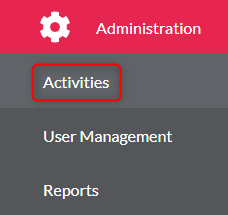
- Go to ‘Administration’ on the left menu

- Click ‘Activities’
- Select the activity from the list
- Find the activity you wish to create a session within
- Click ‘Edit Activity’

- You need to make sure you select the ‘Registrations‘ tab at the top of the page of the new activity

- You will need to search the users using the ‘Search Users’ box, to add the user you will need to click the ‘+’ button

- A pop-up box will appear, you need to then insert the accreditation number, pick and FA from the dropdown list, add and accessibility requirements (if any) and add any further information (if any)
- Click ‘Save’

10. ‘Click ‘Ok’