
- Go to ‘Administration’ on the left menu
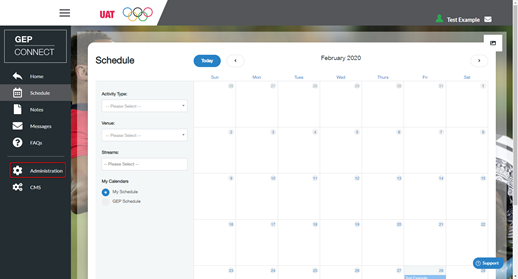
- Click ‘Activities’

- Select the activity from the list
- Find the activity you wish to create a session within
- Click ‘Edit Activity’

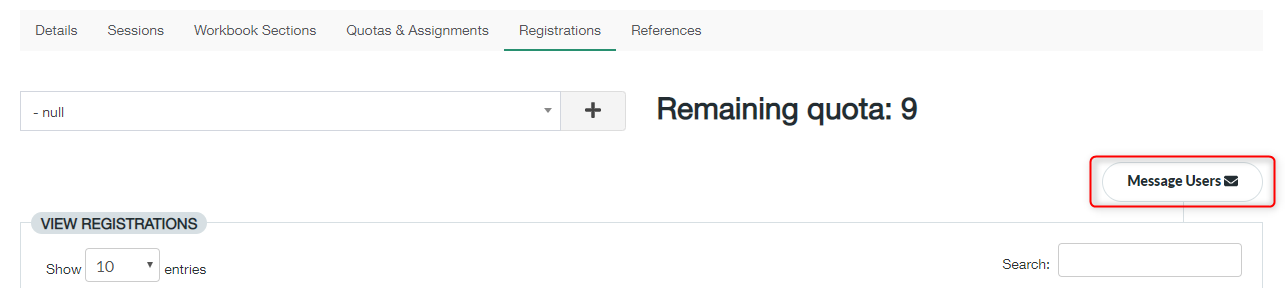
- You need to make sure you select the ‘Registrations‘ tab at the top of the page of the new activity

- Click ‘ Message Users’
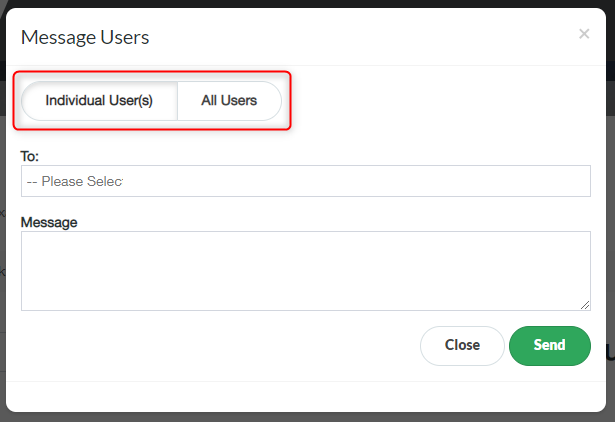
- Here you can either selected to message an individual by clicking the ‘Individual User(s)’ button or you can message all users by clicking ‘All Users’
- Select who you wish to send your message to by selecting the induvial in the ‘To:’ box (individual user only)
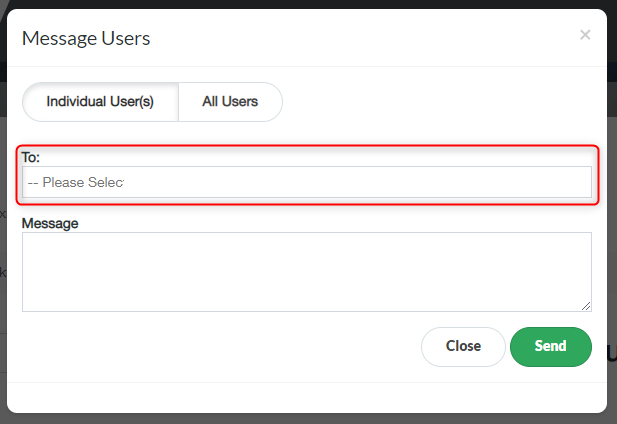
- your message in the box ‘Message’
- To send your message click ‘Send’
Manage Users registered to the Activity Print
Modified on: Wed, 2 Dec, 2020 at 9:38 AM
Did you find it helpful? Yes No
Send feedbackSorry we couldn't be helpful. Help us improve this article with your feedback.