
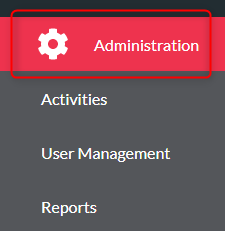
- Click ‘Administration’
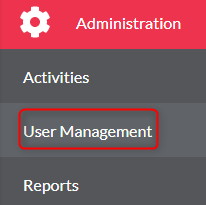
- Click ‘User Management’
- Click your resource from the list
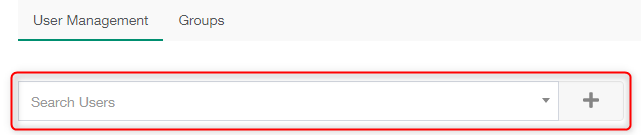
- Select a user from the Search Users list
- Find the user and click the ‘+’ button
- The user will now be displayed in the users list
- Edit a user by clicking the edit button, , once you have made your changes click ‘Save’

User Management Print
Modified on: Wed, 2 Dec, 2020 at 9:52 AM
Did you find it helpful? Yes No
Send feedbackSorry we couldn't be helpful. Help us improve this article with your feedback.