
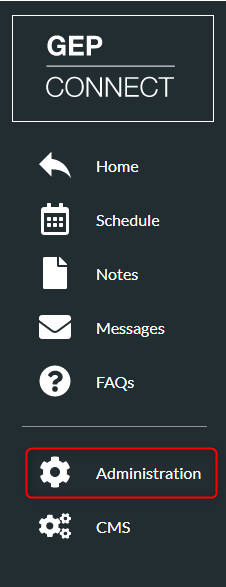
- Click ‘Administration’
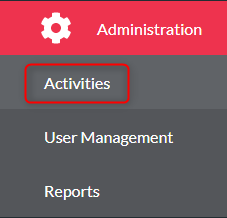
- Click ‘Activities’
- Find your activity from the list
- Click the Activity you wish to add delegates to and click ‘edit’

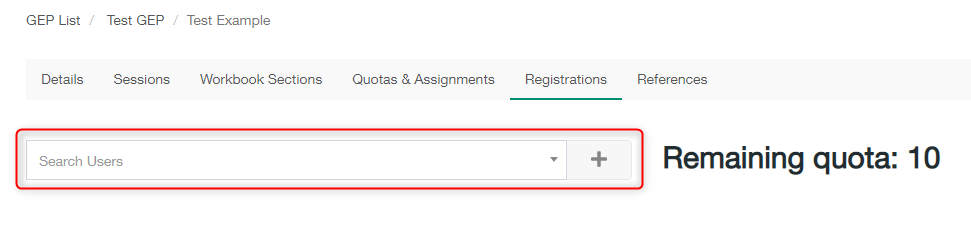
- Click the ‘Registrations’ tab on the top menu

- Search users using the ‘Search Users’ box and click ‘+’ to add the user
- Insert the Accreditation Number, pick an FA from the drop-down list, select any accessibility requirements and add any additional information
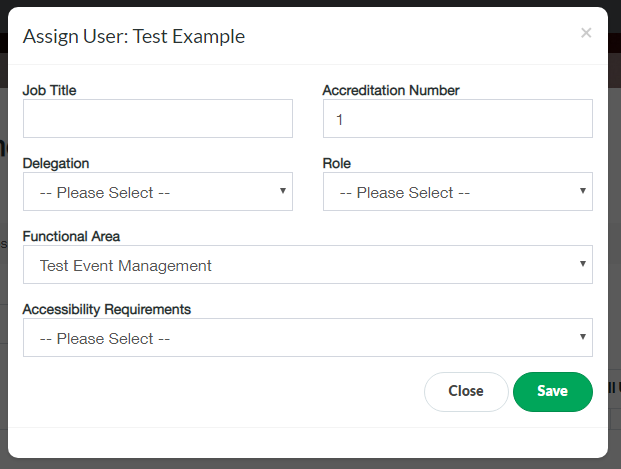
- Click ‘Save’
Manage Registrations for the Activity Print
Modified on: Wed, 2 Dec, 2020 at 9:56 AM
Did you find it helpful? Yes No
Send feedbackSorry we couldn't be helpful. Help us improve this article with your feedback.