
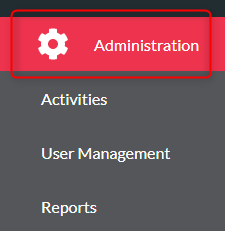
- Click ‘Administration’
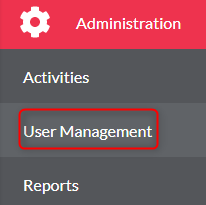
- Click ‘User Management’
- ‘Groups’ tab on the top menu

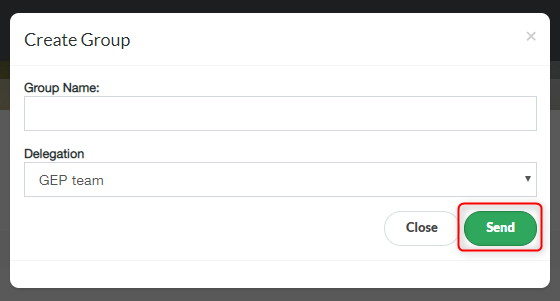
- Click ‘Create Group’

- Enter Group Name and select the Delegation, click ‘Send’
- Find your Group in the list and select Group Members from the drop down

- To edit existing Group, click the edit button next to the group you wish to edit. Change any of the details and click ‘Send’
