
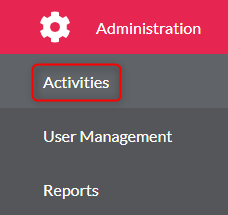
- Go to ‘Administration’ on the left menu

- Click ‘Activities’
- Select the activity from the list
- Click ‘Create New Activity’

- Complete the required field and under Activity Type you need to select ‘Self-Observation Activity’

- Click ‘Save’
- A pop up will then appear asking ‘Would you like to create sessions for this activity’ you need to click ‘Yes’ to add sessions now or ‘Not Yet’ if you wish to add them in the future

- If you wish to add a session if you click ‘Not Yet’, you need to find your Self-Observation Activity and click ‘Edit’
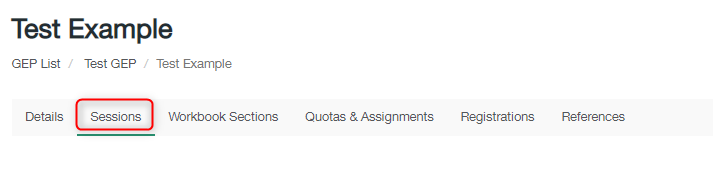
- Click ‘Sessions’ tab on the top menu
- Click ‘Create New Session+’

- Add details for each section including timing
- Click ‘Save’
- If you wish to reorder your sessions, then you will need to click the 3-bar icon on the left of the session and then drag and drop to move them
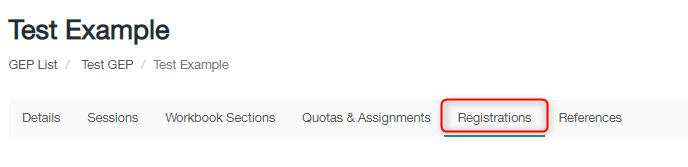
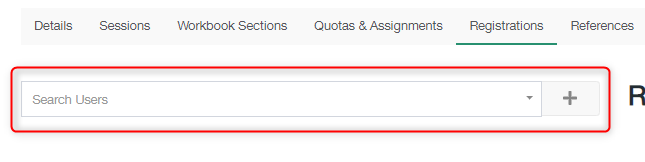
- Register delegates to the Activity by clicking the ‘Registrations’ Tab on the top menu, and searching for the delegates in the ‘Search Users’ box once you have found them click ‘+’
- Check your Self-Observation Activity appears in the Activity list
Create a Self-Observation Activity Print
Modified on: Wed, 2 Dec, 2020 at 10:01 AM
Did you find it helpful? Yes No
Send feedbackSorry we couldn't be helpful. Help us improve this article with your feedback.